Most advice about AI and content stops at “use it to write blog posts.” That is the least useful thing it does for SEO. Where AI earns its place is in the analysis that comes before writing: comparing 20,000 competitor keywords against your own queries, sorting 3,000 Search Console rows to find the pages one push away from page one, or spotting the five URLs splitting clicks for the same term.
These are jobs a person can do in a spreadsheet, but they take days, so they rarely get done. With exports from Semrush, Google Search Console, GA4 and Screaming Frog, an AI assistant can do the sorting in minutes. You still make the decisions, and you still check its work against the live search results.
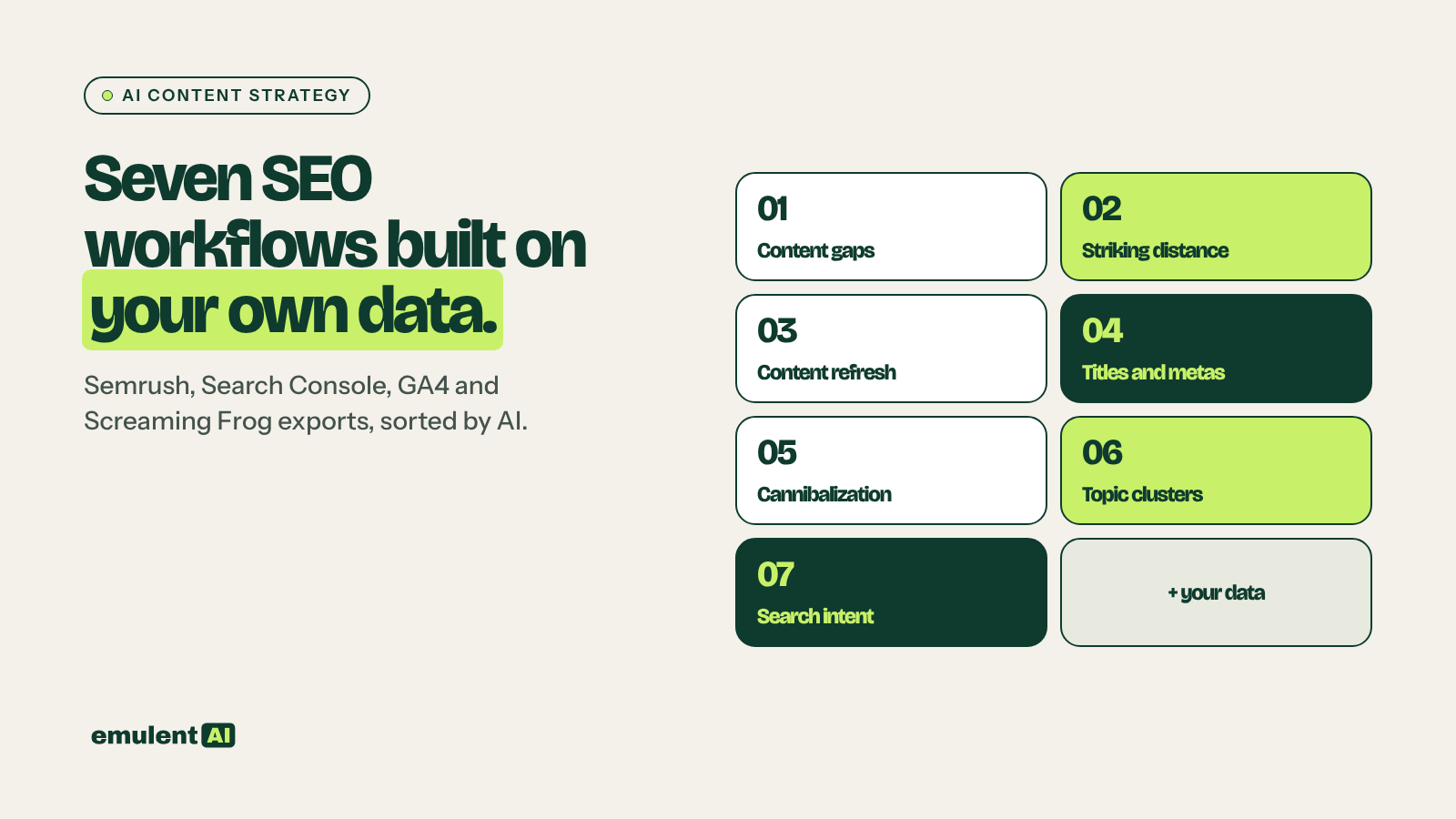
This page covers seven workflows. Each has its own guide with the exports to pull and the prompts to use.
- Content gap analysis: find topics competitors rank for that you have not covered, with outlines for each
- Striking-distance keyword wins: find queries ranking 8 to 20 and decide which pages to update first
- Content refresh planning: flag decaying posts and get specific rewrite plans
- Title tag and meta description rewrites: rewrite low-CTR titles and metas at scale
- Keyword cannibalization detection: find pages competing for the same term and decide what to merge or redirect
- Topic cluster and internal linking maps: group keywords into clusters and plan the links between pillar and supporting pages
- Search intent matching: check whether the page ranking for each query fits what the searcher wants
Why your own data comes first
An AI assistant asked “what should I write about?” will give you the same generic topic list it gives everyone. An AI assistant given your Search Console queries, your competitors’ ranking keywords and your page list will give you answers no one else has, because no one else has that data.
Every workflow here follows the same pattern:
- Export real data from your tools.
- Give it to the AI with clear rules and tell it to work only from the files.
- Ask for output you can act on: a CSV, a ranked list, a rewrite table.
- Check the top results against the live search results and the site before you act.
The data sources you need
| Tool | What to export |
|---|---|
| Google Search Console | Queries, pages, clicks, impressions, CTR and position, by date range |
| Semrush | Organic Research for competitors, Keyword Gap, keyword volume and difficulty |
| GA4 | Sessions, engagement and key events by landing page |
| Screaming Frog | Titles, meta descriptions, H1s, word count, internal links, status codes |
| An AI assistant that reads files | Claude or similar, to sort, compare and draft |
Search Console’s interface only exports 1,000 rows per report. For anything bigger, pull the data through the Search Console API, a Looker Studio connector, or the Search Console integration in Screaming Frog.
Prompt habits that keep the output honest
- Tell the AI to use only the attached files, and to write MISSING where data is absent instead of guessing.
- Ask for its reasoning in a separate column, so you can disagree with specific calls.
- Ask for one output format you will actually use, not a long prose summary.
1. Content gap analysis
Pull the keywords two to five competitors rank for from Semrush, then pull every query your site gets impressions for from Search Console. The AI removes everything you already rank for, groups the remainder into topics, and filters out terms that do not fit your business. What is left is a list of real topics your audience searches for that you have not covered, each with an outline built from the questions and subtopics in the data.
The filter step is where most gap analyses go wrong. A competitor that sells software and services will rank for terms you should never chase. The guide shows how to give the AI a short description of what you sell and who you sell to, so it can drop irrelevant clusters before you see them.
Full guide with prompts: How to use AI for content gap analysis
2. Striking-distance keyword wins
Queries ranking in positions 8 to 20 already have Google’s attention. A focused update to the right page can move many of them onto the first page, which is usually faster than ranking a new page from nothing. Export these queries from Search Console, add Semrush volume and difficulty, and have the AI group them by page and score each page on how much traffic an improvement could bring.
The output is a short list of pages to update first, with the exact queries each update should target and what is missing from the page for them.
Full guide with prompts: How to use AI to find striking-distance keyword wins
3. Content refresh planning
Posts lose traffic slowly as competitors publish newer pages, facts go out of date and search results change. Combining GA4 traffic trends with Search Console clicks and impressions per URL shows which posts are decaying and why. The AI separates posts that lost rankings from posts that lost clicks while their rankings held, and posts in topics with falling demand. Each one gets a different fix, and the guide includes a prompt that produces a section-by-section rewrite plan.
Full guide with prompts: How to use AI for content refresh planning
4. Title tag and meta description rewrites
A page ranking fourth with a 1 percent click-through rate is losing clicks it has already earned. Export every title and meta description with Screaming Frog, join them to Search Console CTR and position, and the AI can find the pages getting fewer clicks than their position should bring. It then writes new versions using the queries the page actually ranks for. The guide covers character limits, why Google sometimes rewrites titles anyway, and how to test the changes.
Full guide with prompts: How to use AI to rewrite title tags and meta descriptions at scale
5. Keyword cannibalization detection
When two or more of your pages rank for the same query, Google often alternates between them and neither ranks as well as one strong page would. Search Console query-to-page data shows exactly where this happens. The AI groups the overlaps, separates real cannibalization from harmless overlap, and recommends one of four fixes for each case: merge and redirect, re-target one page, add a canonical, or leave it.
Full guide with prompts: How to use AI to detect and fix keyword cannibalization
6. Topic cluster and internal linking maps
A topic cluster is a pillar page on a broad subject linked to and from articles that cover its subtopics in depth. The AI groups a Semrush keyword list into clusters, assigns each cluster to an existing page or marks it as a gap, and then compares the ideal links with the links that exist in a Screaming Frog crawl. The output is a link plan an editor can work through page by page.
Full guide with prompts: How to use AI to build topic clusters and internal linking maps
7. Search intent matching
A page can be well written and still fail if it answers the wrong question, such as a sales page ranking for a query where people want a how-to guide. The AI classifies each Search Console query as informational, commercial, transactional, local or navigational, then checks the type of page ranking for it. Mismatches show up as pages with impressions and poor clicks, and the guide covers how to confirm each one against the live search results before rewriting.
Full guide with prompts: How to use AI for search intent matching
What order to run them in
- Start with cannibalization and intent matching. They fix problems with pages you already have, and they change which page should own which keyword.
- Run striking-distance and title rewrites next. They bring the fastest gains from existing rankings.
- Plan content refreshes for decaying posts.
- Run the content gap analysis and build topic clusters for new content.
- Repeat the striking-distance, title and decay checks monthly, and the gap and cluster work quarterly.
Frequently asked questions
Can AI replace keyword research tools?
No. AI cannot see search volumes, rankings or competitor data on its own, and when asked for them it will produce numbers that look plausible and are not real. Use Semrush and Search Console for the data and AI for the sorting, grouping and drafting.
Is AI-written content bad for SEO?
Google’s guidance focuses on whether content is helpful and original, not on how it was produced. The risk with AI content is that it repeats what is already ranking without adding anything. The workflows here use AI to find what is missing and plan updates, with people writing or editing the final copy and adding first-hand experience.
How often should I run these analyses?
Striking-distance, title rewrites and decay checks work well monthly. Gap analysis, clusters, cannibalization and intent audits change more slowly and suit a quarterly cycle.
Which AI assistant should I use?
Any assistant that accepts CSV uploads and follows detailed instructions, such as Claude. Larger exports may need to be split or summarized first, so check how much data your assistant can read in one go.
Put this to work with Bill.
Send Bill your exports and tell him what you are trying to fix. He’ll tell you which of these workflows to run first.
Contact Bill directly
Or call 773-791-3197