A small business can get real marketing help from AI for about $20 to $25 a month per person. One assistant, set up properly, can take the repeatable work off your plate: first drafts of emails, social posts cut from longer pieces, review replies, meta descriptions. You keep the parts customers actually buy from you for: your judgement and your relationships with them.
That is the whole playbook. The rest of this article covers how to set it up, what it costs, what to keep away from AI and how to tell whether it is working, with current prices I checked on each vendor’s site in October 2026.
Why small businesses get the most out of AI
In a five-person company, the owner is usually the marketing department. Marketing gets whatever time is left after the customers and the actual work. The tasks that pile up (the newsletter nobody wrote, the reviews nobody answered) are the kind AI handles well, because they repeat and you can check them in a few minutes.
Most small businesses have not started. McKinsey’s State of AI survey from November 2025 found 88% of organizations regularly use AI in at least one business function, up from 78% a year earlier, but that survey leans toward larger companies. The U.S. Census Bureau’s Business Trends and Outlook Survey shows the small end. As of May 2026, fewer than 20% of firms with four or fewer employees said they used AI in their operations, compared with 37% of firms with 250 or more employees. Between December 2025 and May 2026, use rose among firms with at least 20 employees and did not change significantly among smaller ones.
So if you run a small business and you use AI well, you are probably ahead of most of your direct competitors. The word “well” is doing a lot of work in that sentence. The line I use in my talks is “Give AI the work that drains you, not the work that defines you.”
What it costs to start
For most small businesses, the starting cost is one assistant subscription for each person who will use it, plus a few hours of setup. Claude Pro is $20 a month billed monthly, or $17 a month on an annual plan. ChatGPT Plus is $20 a month. If two or more people will use it, Claude’s Team plan is $25 per seat billed monthly, or $20 per seat billed annually, with a two-seat minimum.
The costs climb when you add marketing automation platforms and outside help, and I break those tiers down in a separate article on whether AI marketing automation is affordable for small businesses. The cost people forget is time. Every draft AI writes still needs a person to read it, and that review time belongs in your budget from day one.
The workflows to hand over first
When we set up a small business, the first handoff is usually four jobs: email drafts, social posts repurposed from longer content, review responses and website meta descriptions. They repeat every week, and a mistake in any of them is easy to catch before it goes out. Once those run well, the next group is ready.
| Workflow | What AI does | What you check before it goes out |
|---|---|---|
| Email drafts | Writes a first draft from your notes, past emails and the offer | Dates, prices, offer terms and whether it sounds like you |
| Subject lines, headlines and calls to action | Gives you 10 or more variations to test | Pick the two or three you would actually send, then test them |
| Repurposing one long piece | Turns a blog post, video transcript or talk into social posts, an email and ad copy | Facts carried over correctly; nothing added that you never said |
| Review replies | Drafts a reply to each review in your voice | Read every draft; handle complaints yourself |
| Meta descriptions, alt text and schema markup | Writes them page by page from the page content | Accuracy against the page; schema tested before it goes live |
| Summaries of reviews, surveys and call notes | Groups what customers say into themes, with quotes | Spot-check the themes against the originals |
| Competitor messaging audit | Compares your homepage and offers against competitor pages you give it | Whether the gaps it finds are real |
| Cleaning campaign data | Reformats exports from your ads, email tool and point of sale into one table | Totals match the source systems |
Review replies are a good example of how to set this up safely. We built a local business review helper that reads each new review and drafts a reply in the business’s voice from a reference kit built for that business. It flags complaints, legal issues and anything a template should not touch. It drafts; it never posts. The owner or manager reads every draft, edits where needed and sends it. Before switching it on, we tested it on the business’s real review history. Reviews now get answered in hours instead of weeks, with a person behind every reply.
What to keep human
Some marketing work does not belong with AI, or needs a person watching closely. For a small business, the list looks like this:
- Your positioning and the story of why you started.
- Anything that carries your name, including your About page and personal emails to customers.
- Customer relationships, apologies and hard conversations.
- Local references and humor, which AI gets wrong in ways your neighbors notice.
- Legal, medical, financial or compliance-sensitive copy.
- Reading your results and deciding what to do next.
- Long-form content written to rank in search.
That last one surprises people, so here is what I saw. I tracked website traffic from AI-written long-form content after AI content creation started in January 2025. Monthly traffic climbed from about 100 visits to about 1,700 by June 2025. By August it had collapsed to near zero. It sat flat through late 2025 and took about a year to climb back to roughly 1,400 by fall 2026. Of the keywords that ranked from that content, 98% landed on page 3 or deeper in Google.
Google’s own guidance explains why. Its page on using generative AI content says that using AI to generate many pages without adding value for users may violate its spam policy on scaled content abuse, and that you should fact-check AI content before publishing. Its helpful content guidance asks whether you are “using extensive automation to produce content on many topics” and looks for first-hand expertise. A small business owner has that expertise. A model trained on the internet does not have your customers, your jobs or your town. As I put it in my talks, “AI gets you to good, fast. Getting to great is still your job.”
Customers notice too. A Gartner survey of 1,539 U.S. consumers, released in March 2026, found that 50% would prefer to give their business to brands that do not use generative AI, and 68% frequently wonder whether the content they see is real. For a small business, the personal touch is often the reason people choose you over a chain. Trading it for a few saved hours is a bad deal.
Before you hand any task to AI, run it through six questions:
- Would I sign it?
- Can I check it?
- What breaks if it’s wrong?
- Would my customers care that AI did it?
- Would I be fine with them finding out?
- Does it fit my brand and my experience?
If any answer makes you hesitate, keep the task, or keep a person on the final version.
Tools at small-business budgets
Start with one assistant and learn it well before adding anything else. Then check whether software you already pay for has added AI features, because many have. These are the list prices on each vendor’s pricing page in October 2026, in U.S. dollars. Prices change often, so confirm before you buy.
| Tool | What it is for | Listed price |
|---|---|---|
| Claude Pro | General assistant for one person | $20 a month billed monthly; $17 a month billed annually |
| Claude Team, Standard seat | Shared assistant for 2 to 150 people | $25 per seat a month billed monthly; $20 billed annually |
| ChatGPT Plus | General assistant for one person | $20 a month |
| Google Workspace Business Standard | Email and documents with Gemini built into Gmail, Docs, Sheets and Drive | $14 per user a month on the flexible plan |
| Canva Pro | Design, with 10 times the AI use of Canva Free | $144 a year for one person |
| Mailchimp Standard | Email marketing with automation flows and AI features | From $20 a month for the first 12 months, rising with contact count |
| HubSpot Marketing Hub Starter | HubSpot’s entry marketing plan, with 1,000 marketing contacts | $7 to $20 per seat a month, depending on billing |
| Zapier Professional | Moving data between apps without manual copying | From $19.99 a month |
Before you paste anything about a customer, check the training setting. On the ChatGPT and Claude pricing pages, the individual plans list model training as something you opt out of. Claude’s Team plan says it does no model training on your content by default. Decide which you need before the first conversation, and write a short “never paste” list: passwords, logins, card numbers and customer records.
Measure results, not output
The easiest number to report is how much AI produced. It is also the least useful. Twenty extra social posts a month mean nothing if the phone does not ring more often.
Track the numbers that pay your bills and the time you got back:
- Calls, form fills, quote requests and bookings, by source.
- Review response time, from the review going up to your reply.
- Repeat customers and email replies.
- Hours spent on marketing each week, including the time you spend checking AI drafts.
Take a baseline in your first week, then compare after 30 and 90 days. If the hours went down and the leads held or went up, keep going. If the hours went down and the leads dropped, something you handed over was doing more work than you thought. Volume is not a strategy; publish less, and make what you publish more relevant to the people you want to reach.
A 30-day starter plan
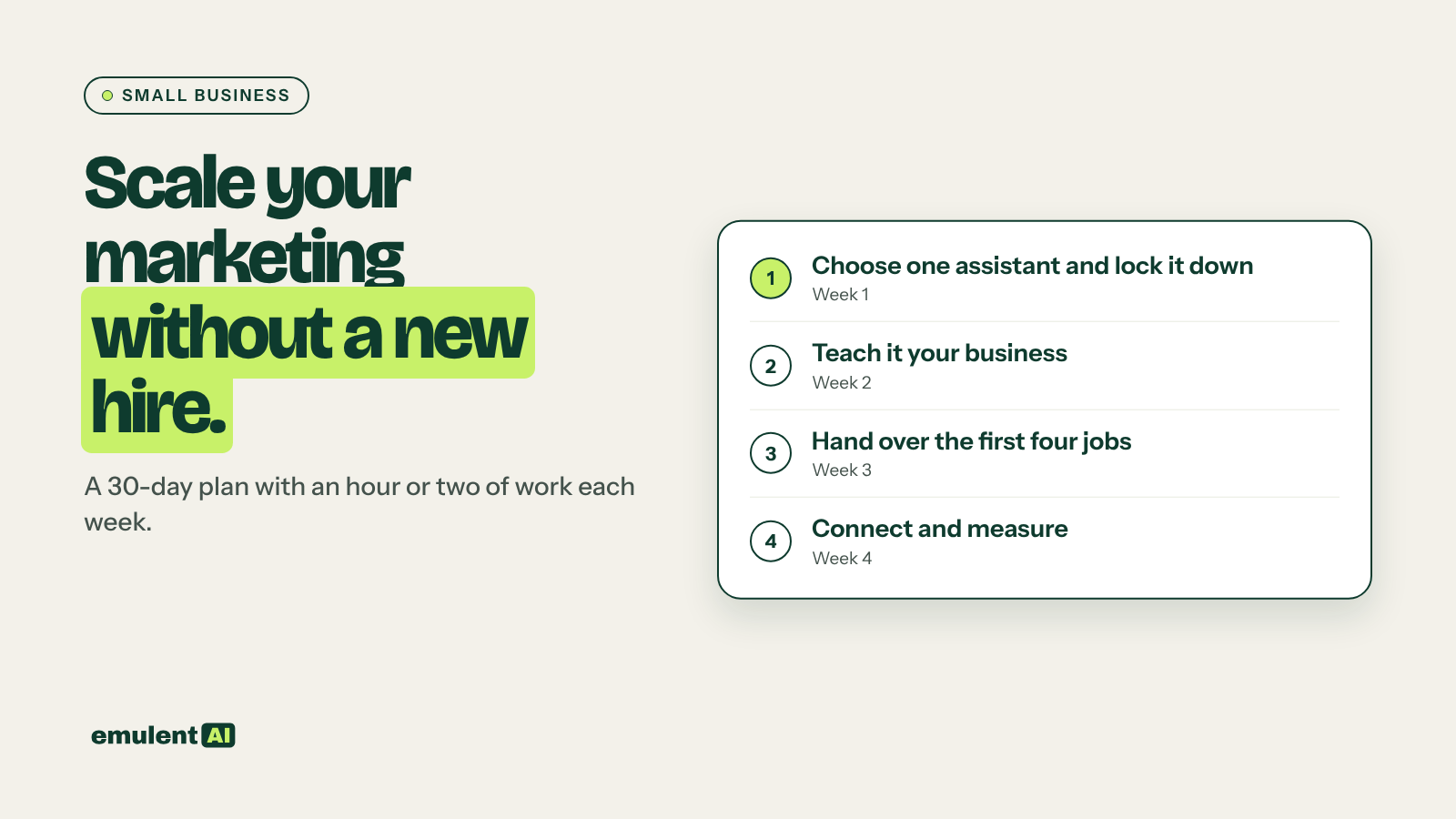
This plan follows the setup checklist I walk through in my talks. Each week has an hour or two of work.
- Week 1, choose and lock down. Pick one assistant and a plan. Decide whether your chats will be used to train the models, and settle that before you paste anything about a customer. Write your never-paste list.
- Week 2, teach it your business. Write standing instructions that tell it who you are, who your customers are and how you like to sound. Gather a reference kit to upload, the same things you would hand a new hire on day one: your services and prices, service area, a few emails you were proud of, recent reviews and a list of words you never use. Turn on memory, then check what it saves.
- Week 3, hand over the first four jobs. Make a project for each recurring job (emails, social repurposing, review replies, meta descriptions). Read every output before it goes out, and tell the assistant what was off and why, the way you would coach an employee.
- Week 4, connect and measure. Connect the apps you already use, such as your email and drive, if that saves you copying. Turn the job that worked best into a reusable template or tool. Pick a checking habit, such as verifying every price, date and claim before anything goes public. Compare your hours and leads against week 1.
By the end of the month you should know whether AI is saving you time without costing you customers. That is the only test that counts.
If you would rather set this up with someone who has done it before, our small-business AI work starts with a readiness assessment and a short call. Book a strategy call and we will tell you honestly which parts of your marketing are worth handing over.
Put this to work with Bill.
Tell Bill where your team is with AI right now. He’ll tell you what he would do first and what he would leave alone.
Contact Bill directly
Or call 773-791-3197