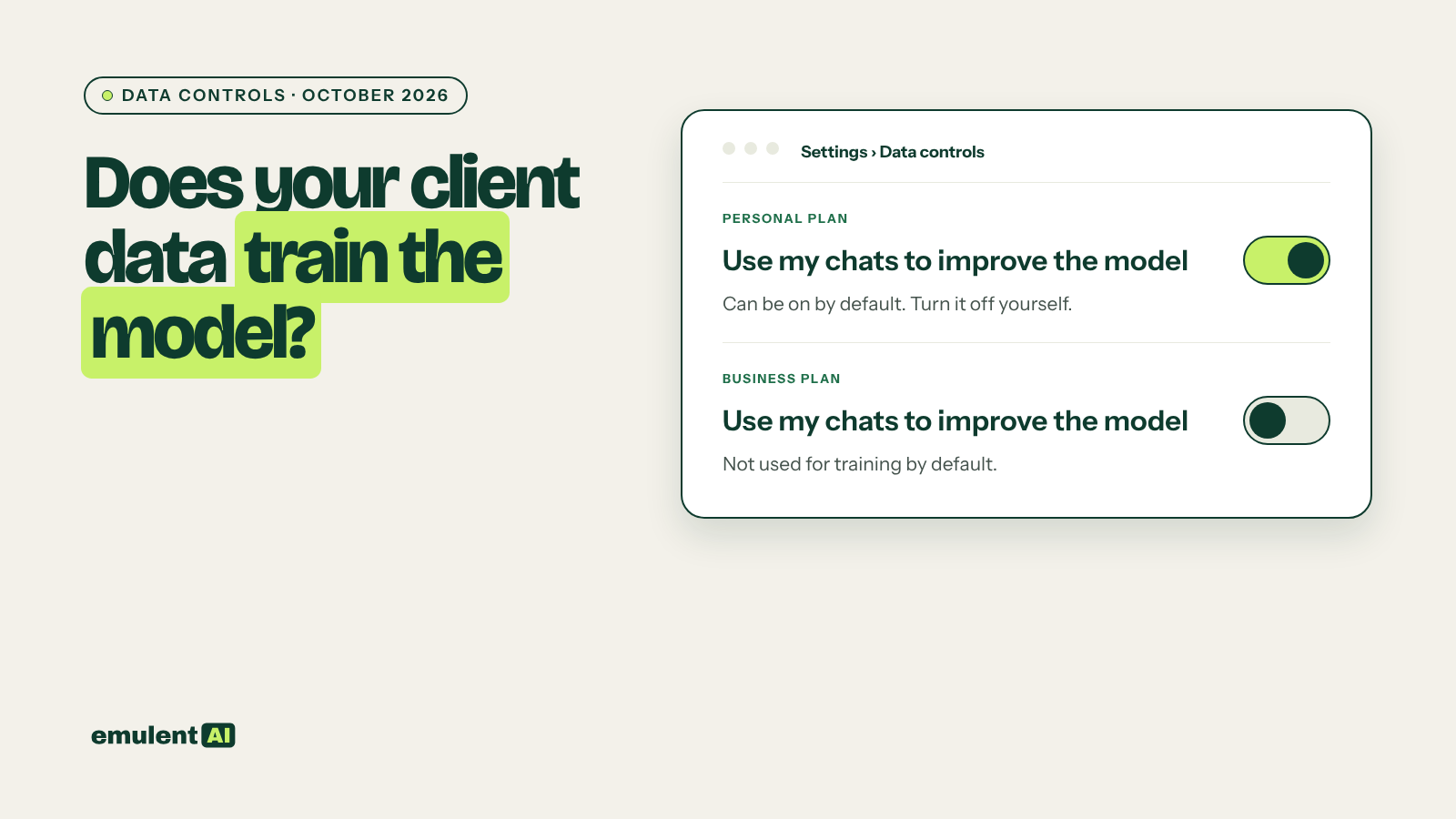
If your team pastes client work into an AI assistant, one setting decides whether those chats can be used to train the vendor’s future models. On the personal plans from OpenAI and Google, training use is on by default. Anthropic asks personal-plan users to choose. Business and enterprise plans from all three start from the other side: the vendors say they don’t train on that data by default.
So the short answer for agency owners: put client work on a business plan, and if anyone on the team is still on a personal account, find the training setting today and decide on purpose. Below is what each vendor’s own help and privacy pages said when I checked them in October 2026, with links so you can check them yourself. These settings change, and the menus move. Treat this as a map, then confirm in your own account.
One note before the details. I’m a marketer, not a lawyer. Training settings are only one part of handling client data. Your contracts, NDAs and any privacy law that covers your clients’ customers may set stricter rules, and those win.
What “training on your data” means
When a vendor trains on your chats, your conversations can become part of the material used to build future models. That’s different from the assistant reading your chat to answer you, which happens on every plan. It’s also different from retention, which is how long the vendor keeps your chats. A plan can keep data for a while without training on it.
For an agency, the worry is simple. A client’s unreleased product plan, pricing or customer list ends up somewhere you can’t control or delete. Whether that risk is large or small, “we turned it off before we started” is a much easier answer to give a client than “we’re not sure.”
Claude (Anthropic)
Personal plans: Free, Pro and Max
Anthropic changed its consumer terms in August 2025. On Free, Pro and Max, chats and coding sessions are used to train new models only when the model training setting is on. New users pick their preference at signup; existing users were asked in a pop-up. If the setting is on, Anthropic keeps that data for five years. If it’s off, the 30-day retention period continues.
The setting is called Model Improvement, in your Privacy Settings. Anthropic says Incognito chats are not used to improve Claude even when Model Improvement is on. It also notes that chats flagged for safety review can be used, and that turning the setting off stops future use but doesn’t pull data out of training that has already started or finished.
Business plans: Claude for Work (Team and Enterprise) and the API
The consumer change doesn’t apply to services under Anthropic’s Commercial Terms, which the announcement lists as Claude for Work (Team and Enterprise), Claude Gov, Claude for Education and API use. For those, Anthropic says it won’t use inputs or outputs from its commercial products for training by default. The exception is when you send feedback or bug reports, or otherwise opt in. In practice, tell your team that a thumbs up or down on a client chat is a choice to share it.
ChatGPT (OpenAI)
Personal plans: Free, Plus and Pro
OpenAI’s help center says data sharing is on by default for Free, Plus and Pro on a personal workspace, and you can turn it off. The path is Profile, Settings, Data Controls, then switch off “Improve the model for everyone.” You keep your chat history; new conversations stop being used for training. Voice mode has its own control.
There’s also Temporary Chat, opened from the icon at the top right of a chat. OpenAI says temporary chats aren’t used to train models, don’t appear in history and can’t create or use memories.
Business plans: Business, Enterprise, Edu and the API
OpenAI says that by default it does not train on inputs or outputs from its business products, naming ChatGPT Business, ChatGPT Enterprise and the API. Its data controls page adds Edu to that list. The same split applies to apps you connect: on Business, Enterprise and Edu, information pulled in through connectors isn’t used for training by default, while on personal plans it may be used if “Improve the model for everyone” is on.
Gemini (Google)
Personal Google accounts
Gemini’s privacy hub says that when the Keep Activity setting is on, Google uses your activity to provide, develop and improve its services, including training generative AI models. Google’s help page says Keep Activity is on by default if you’re 18 or over. You turn it off at gemini.google.com under Settings & help, then Activity.
Two more details from Google’s own page are worth passing to your team. A subset of chats is read by human reviewers, and Google asks users not to enter confidential information they wouldn’t want a reviewer to see. Chats that reviewers look at are kept for up to three years. With Keep Activity off, or in a temporary chat, conversations are still kept with your account for up to 72 hours, and temporary chats aren’t used to train Google’s models.
The privacy hub page I read doesn’t separate paid Google AI subscriptions from free use on a personal account. If you pay for a personal Google AI plan, don’t assume it behaves like Workspace. Check the setting.
Work accounts on Google Workspace
Google’s Workspace privacy hub says Workspace doesn’t use customer data for training models without the customer’s permission or instruction, and that chats and uploaded files in the Gemini app won’t be reviewed by human reviewers or used to train generative AI models without your permission. That applies to qualifying Workspace editions. On work and school accounts, your administrator controls the activity settings, so the person who runs your Google admin console is the one to ask.
What I’d do this week
- List every AI tool your team uses for client work, and which plan each person is on. Personal accounts used for work count.
- Move client work onto one business plan where you can. It’s simpler to explain and admins can manage it.
- For anyone still on a personal plan, open the training setting together and make the choice deliberately.
- Tell the team that feedback buttons and “share” options can send a chat to the vendor even on business plans.
- Write a never-paste list: passwords, logins, API keys, customer personal data, and anything your contracts restrict.
- Put a reminder on the calendar to recheck these settings every quarter. Vendors update terms, and a setting you chose in spring may look different by fall.
A business plan isn’t a license to paste anything. It changes the default on training; it doesn’t change what your contracts allow, and it doesn’t make a model’s output true. You still own what goes in and what goes out.
Next step
Our AI tool selection and implementation work starts with exactly this: picking the plan, setting training and memory options, and writing the never-paste list with your team. If you want a wider view of where your data, tools and risks stand first, the AI readiness assessment scores all of it before you change anything.
Put this to work with Bill.
Tell Bill where your team is with AI right now. He’ll tell you what he would do first and what he would leave alone.
Contact Bill directly
Or call 773-791-3197