This guide is part of our series on using AI for local SEO.
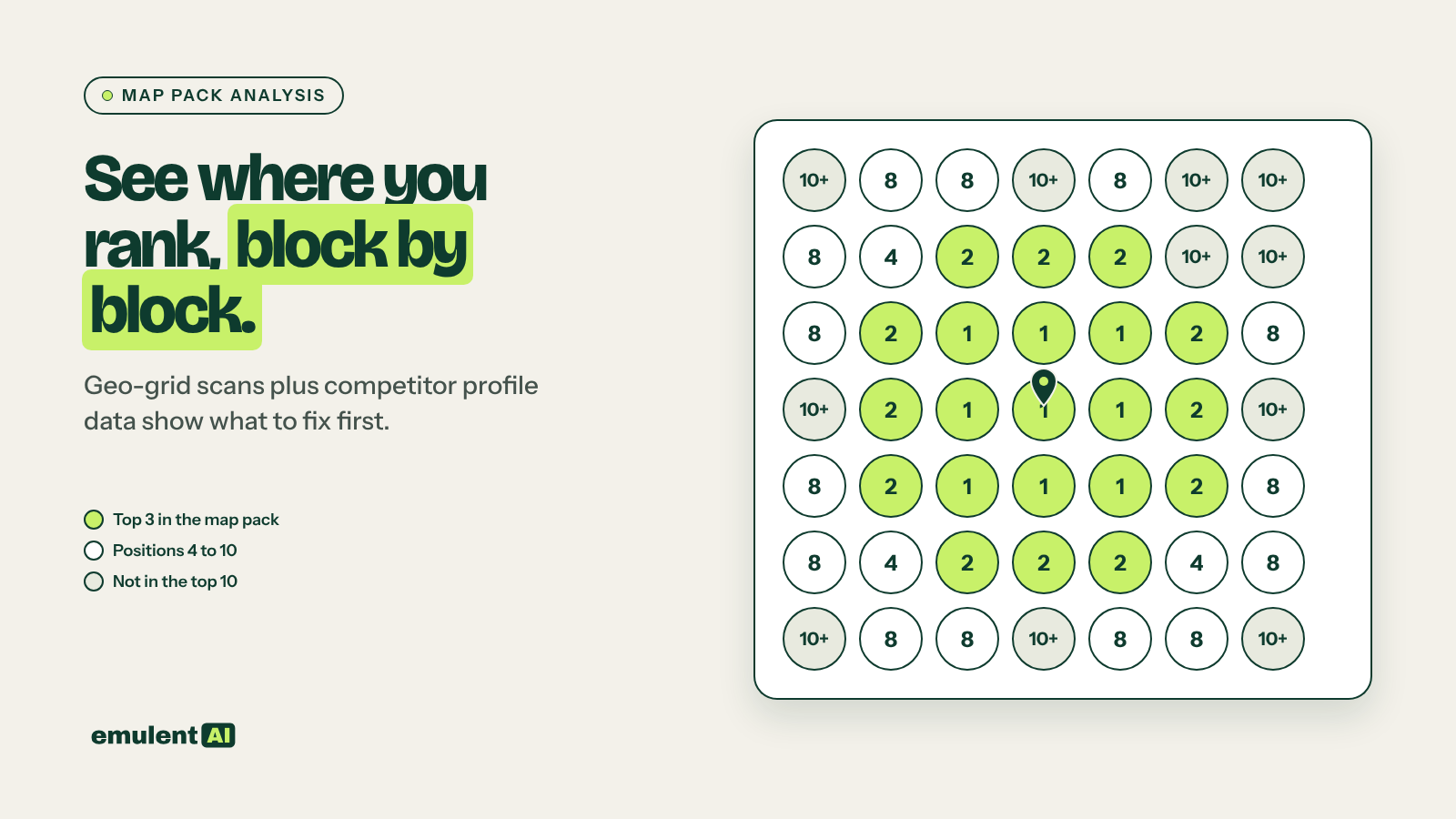
Map pack analysis answers two questions: where around each location do you show in the top 3, and why do the businesses beating you win. Google says local results are ranked on relevance, distance and prominence. You cannot move your building, so the work is finding which relevance and prominence signals the winners have that you lack. AI does the comparison. The data has to come from grid scans and the competitors’ actual profiles.
What you need
- An AI assistant that accepts file uploads and screenshots, such as Claude
- A geo-grid rank tracker: Semrush Map Rank Tracker, Local Falcon or BrightLocal
- A browser extension that shows GBP categories, such as GMB Everywhere or PlePer
- Access to your own Google Business Profile for each location
Step 1: Run geo-grid scans
A single rank check from one point tells you almost nothing in local search, because results change block by block. Scan each location on 5 to 10 core terms:
- Grid size: 7×7 or 9×9 points
- Spacing: 0.5 miles in dense towns, 1 to 2 miles in suburban or rural service areas
- Terms: the main service terms without a town name (“plumber”, “water heater repair”), since those are what people type on their phones
Export the results with every competitor that appears at each grid point as well as your own position. Save the scan settings so next month’s scan matches.
Step 2: Pull the competitor profile data
For the 5 to 8 businesses that appear most often in your grids, collect:
- Primary and secondary GBP categories
- Review count, average rating and reviews added in the last 90 days
- Whether reviews mention the service and town names
- Number of photos and how recently they were added
- Business name, watching for keywords stuffed into it
- Address and distance from your location, or whether it is a service-area business with a hidden address
- The website URL the GBP links to: homepage or a location page
- Posts, products and services filled in on the profile
- Opening hours, including whether they show as open 24 hours
Put it all in one sheet with your own profile as the first row.
Step 3: Ask the AI to explain the gaps
Attached are geo-grid results for 8 keywords around our Wake Forest location and
a profile comparison sheet for us and the 7 competitors who appear most often.
1. For each keyword, describe where in the grid we rank top 3, 4 to 10, and
   not at all (use compass directions and approximate distance from our pin).
2. For each area where a competitor beats us, list the signals in the sheet
   where they are ahead of us: categories, review count, review velocity,
   review keyword mentions, photos, proximity, name keywords, landing page.
3. Rank our fixes by likely effect and effort. Separate fixes we control
   (categories, services, photos, landing page, review requests) from things
   we cannot change (distance, competitor's name).
4. Flag any competitor that looks like it breaks GBP guidelines (keyword-stuffed
   name, fake address, duplicate listings) so we can check and report it.
Work only from the attached data.
The usual findings, roughly in order of how often they come up:
- A missing secondary category that the winners all have
- Far fewer recent reviews, even when the total count looks close
- The GBP website link points to the homepage instead of a location page with LocalBusiness schema and town content
- Competitors sit closer to the center of town, which you can only answer with a stronger profile and a better location page
- A competitor with a keyword-stuffed business name. You can suggest an edit on Google Maps, or use Google’s Business Redressal Complaint Form when the name breaks the guidelines.
Step 4: Read the whole results page
For each core term, search from inside the town (or with a browser set to that location) and note what appears around the organic results: AI Overviews, Local Services Ads, the map pack, places carousels, People Also Ask, directory listings, and Reddit or forum threads. Paste screenshots or the result text into the AI:
For each of these search result captures, list every feature in order from top
to bottom and estimate how far down the page the first organic result starts.
Which businesses appear in more than one feature (for example in the map pack
and in the AI Overview)? Which directories appear, and is our business listed
on each of them?
If an AI Overview names three businesses and you are not one, look at what those businesses have on their sites and in their reviews that answers the query directly. If directories hold the top organic spots, a complete and well-reviewed listing on those directories can bring more calls than your own page will.
Step 5: Track it monthly
Rescan the same grids with the same settings each month so the results compare. Give the AI both months’ exports and ask for a summary: grid points gained and lost per keyword, new competitors entering the grid, and changes in competitor review counts.
Keep a log of what you changed and when (category added, 30 new reviews, location page rewritten). Then ask the AI to line up the grid changes against the log. After a few months you will know which fixes moved the map pack for this business, and which did nothing. A slow, continuing loss of grid points over several months is one of the signals covered in our guide to local performance decay.
Put this to work with Bill.
Tell Bill which locations and towns matter most to you. He’ll tell you which of these workflows to run first.
Contact Bill directly
Or call 773-791-3197