This guide is part of our series on using AI for local SEO.
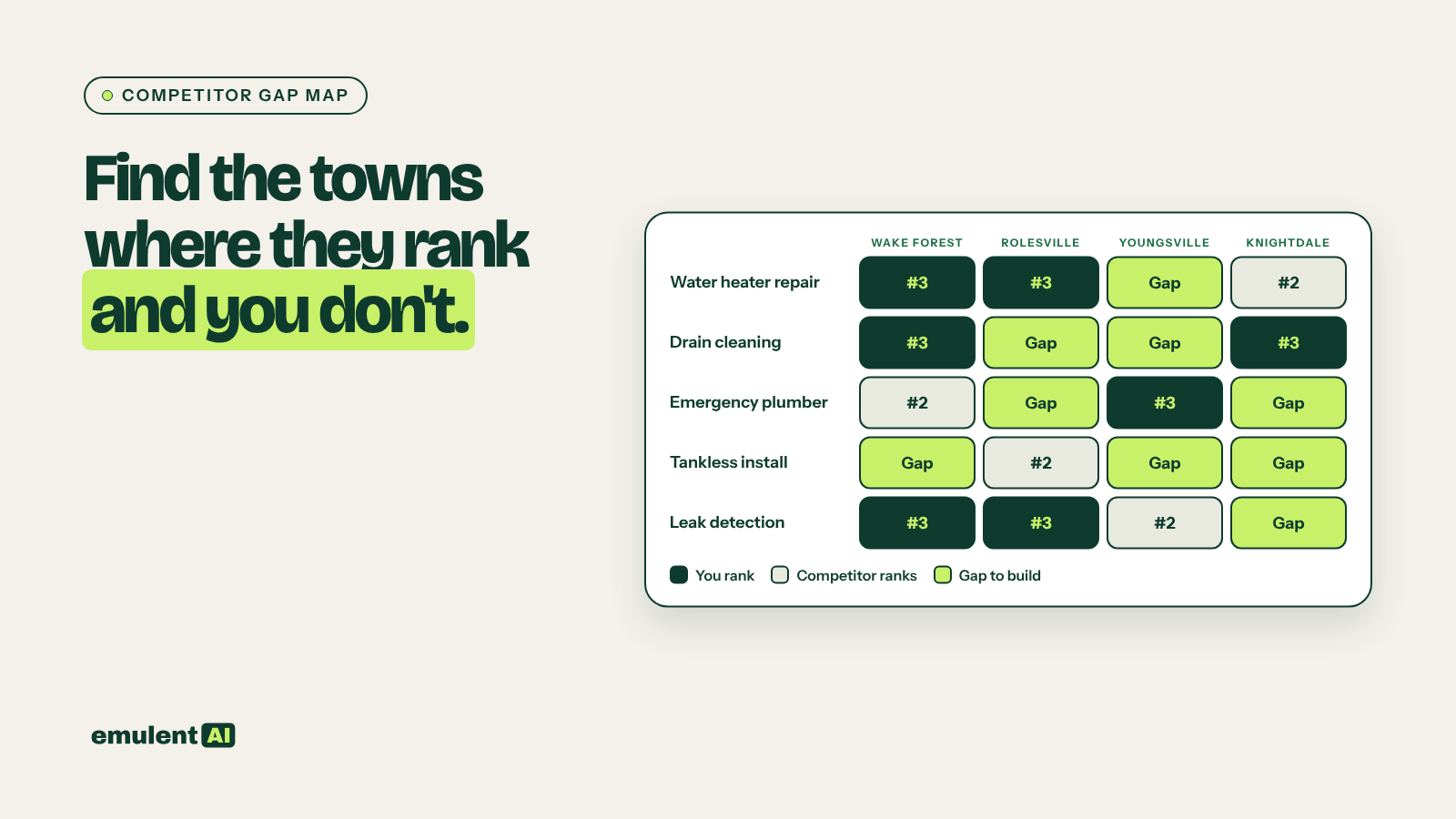
A local gap map is a grid of services against towns, showing where competitors rank and you do not. The output is a ranked build list: which service-in-town pages to create or fix first. AI does the sorting and comparing; you supply real ranking data and check the results against what the business actually does.
National competitor tools miss most of this. The business beating you in the map pack in Rolesville may not show up as a domain competitor at all, because it is a one-location shop with a 12-page site. So you collect competitors from the search results themselves.
What you need
- An AI assistant that accepts file uploads, such as Claude
- Semrush, for keyword volumes and Position Tracking with local targeting
- A geo-grid rank tracker (Semrush Map Rank Tracker, Local Falcon or BrightLocal) for map pack positions
- A list of every service you sell and every town you serve
- A location sheet with one row per location: address, phone, services offered there and towns served
When you prompt, upload the data and tell the AI to work only from it. Adding “If a fact is not in the file, write MISSING and keep going” stops most invented numbers.
Step 1: Build the keyword grid
List every service and every town. Multiply them. A plumber with 15 services and 12 towns has 180 combinations, plus the “near me” and unmodified versions of each service.
Give the AI both lists and ask it to expand the grid:
Here is our service list and our list of towns served. Build a CSV with columns:
service, town, keyword_variant. For each service and town pair, write the 3 to 5
ways a person would search for it (for example "water heater repair Wake Forest",
"Wake Forest water heater replacement", "tankless water heater installer Wake Forest NC").
Also add one row per service with no town and one with "near me".
Do not add services or towns that are not on my lists.
Run the grid through Semrush Keyword Overview or Keyword Magic Tool in bulk to get volumes. Many town-level terms will show 0 or 10 searches a month. Keep them. Local volume data is thin, and these pages still bring calls.
Step 2: Collect who actually ranks
Set up a Semrush Position Tracking project for your domain with local targeting at the ZIP or city level for each location. Add the keyword grid and add competitors as you find them. For the map pack, run a geo-grid scan on your top 10 to 20 terms.
Export three things per location:
- The top 10 organic URLs for each keyword
- The top 3 map pack businesses for each keyword, with their Google Business Profile primary category
- Your own position for each keyword in both
Step 3: Have AI cluster and score the gaps
Upload the exports and ask the AI to build the matrix:
Attached are organic and map pack ranking exports for our 12 towns.
1. List every competitor domain or business that appears in the top 3 map pack
   or top 10 organic for 5 or more keywords. Count appearances per competitor.
2. Build a matrix: rows are services, columns are towns. In each cell, write our
   best position (organic and map), the top competitor in that cell, and the URL
   type that ranks (service page, location page, service+location page,
   directory, blog post).
3. Flag every cell where a competitor ranks top 5 with a dedicated
   service+location page and we have no page targeting that pair.
4. Score each flagged cell 1 to 5 for opportunity, using search volume, how many
   of the top 5 are directories (more directories = easier), and whether we
   already rank 6 to 20. Show the score reasoning in its own column.
Output as CSV. Work only from the attached files.
The URL type column tells you a lot. If the top results for “roof repair Youngsville” are Yelp, Angi and a Nextdoor thread, a decent dedicated page can win. If they are three roofers with dedicated Youngsville pages, you need a better page than theirs.
Step 4: Read the competitor pages that win
For the top 15 to 20 gap cells, save the ranking competitor pages as HTML or PDF (or paste the text) and ask the AI to compare them:
Here are the 3 pages ranking top 3 for "emergency plumber Knightdale" and our
current page that ranks #14. Compare them on:
- word count and what each section covers
- local proof: named neighborhoods, landmarks, local photos, reviews from that
  town, staff based there, project examples with locations
- schema types present
- internal links in and out
- calls to action and phone number placement
Then list what our page is missing that all 3 competitors have, and what
none of them have that we could add from the facts in our location sheet.
That last line is where you find your edge. Competitors often copy the same template, and the page that adds real project examples from that town stands out.
Step 5: Turn it into a build list
Ask for a final table sorted by score, with one row per page to create or fix: target keyword, town, page type (new page, rewrite, merge), the content brief in five bullets, and the existing pages that should link to it. That table becomes your content plan and the starting point for your location and service linking map. If the same gap repeats across many towns, it is also the list to work from for programmatic local pages.
Checks before you act
- Confirm the business actually serves that town. A page for a town outside the service area draws calls you cannot take.
- Look at the live results for the top five gaps in an incognito window set to that town. Ranking exports can be a few days old and miss AI Overviews or Local Services Ads that push organic results down.
- Drop competitors that rank because of a different business model, such as a national lead-gen site or a franchise directory. They tell you about the results page, not about what page to build.
Rerun the gap map every quarter. New competitors open, others rebuild their sites, and the cells that were easy wins last spring may not be now.
Put this to work with Bill.
Tell Bill which locations and towns matter most to you. He’ll tell you which of these workflows to run first.
Contact Bill directly
Or call 773-791-3197