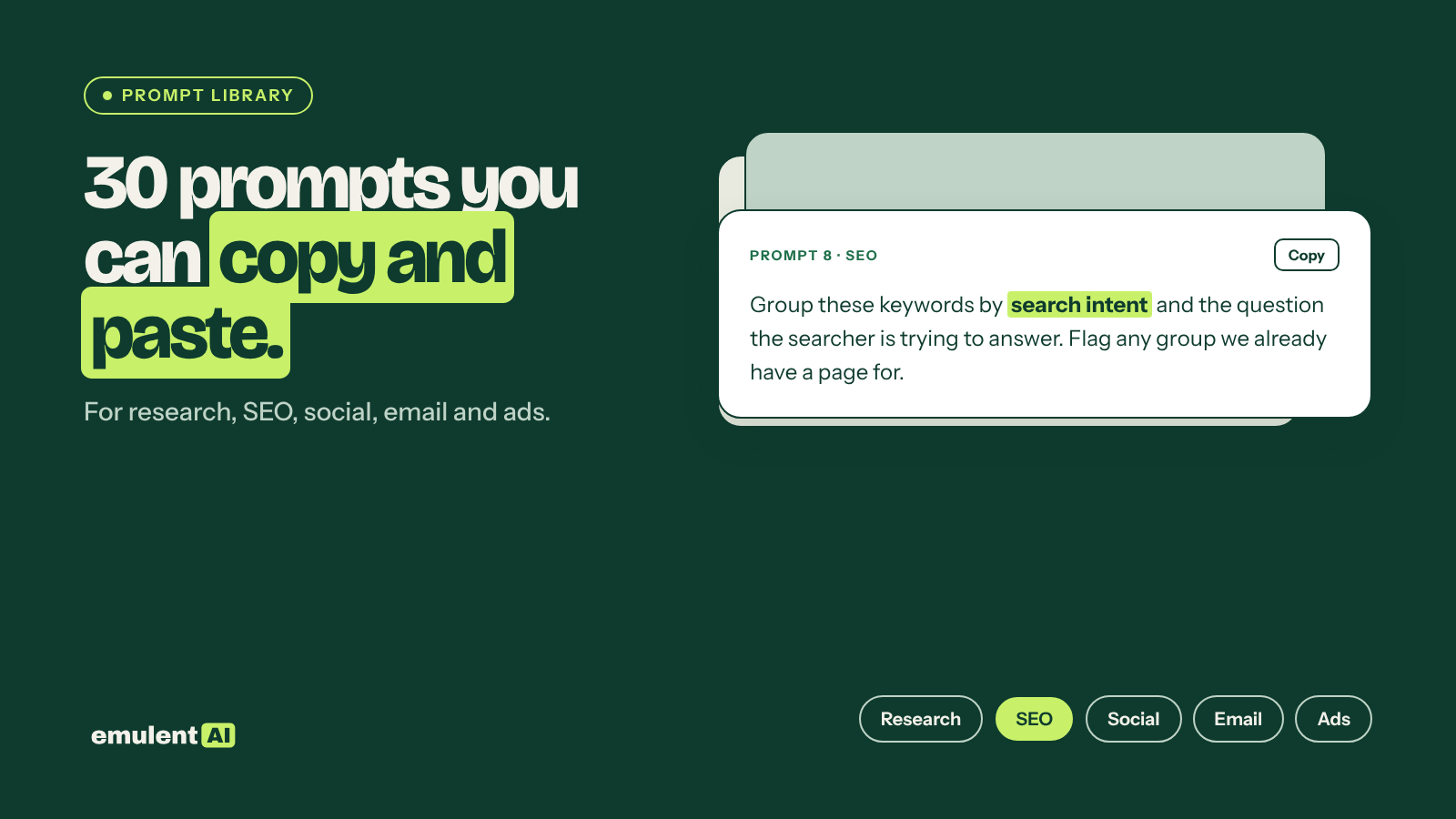
The marketing prompts that work read like a brief you would hand a new hire: who we are, who this is for, what it has to do, and an example of what good looks like. The 30 prompts below are written that way and grouped by job, from customer research to ad copy. Most of them hand the model your own material (reviews, transcripts, keyword exports) and tell it what to do with it, because that is where AI is fast and checkable.
After the library you’ll find how I review what comes back, and how to turn the prompts you reuse into a saved tool your whole team can use.
Why prompting is a communication skill
I’ve spent close to three years running marketing tests on the major AI platforms, using their most advanced models. The biggest lesson is the least technical one. AI is a communication skill more than a technology skill. You talk to it in plain language, there’s no code involved, and the output is only as good as your brief. As I put it in my talks, “If you can’t explain it to a person, you can’t explain it to AI.”
That is good news for subject-matter experts. The people who already know what a strong landing page or a sharp sales email looks like get better results than prompt hobbyists, because they can say what they want.
It also helps to remember what the model is doing. A language model doesn’t know things. It predicts the most likely next word, over and over, based on patterns in what it was trained on. Every prompt in this library is built around three consequences of that:
- It learned from the internet, so its default answer is the average of what everyone has already said. Vague prompts get average marketing.
- It only sees the conversation. It has no memory of you, your clients or your brand unless you tell it, or set up a project that tells it for you.
- It produces plausible text, which is different from true text. It can be wrong with total confidence, so anything factual gets checked.
Anthropic’s own documentation for Claude makes the same point. Its prompting best practices tell users to think of the model as “a brilliant but new employee who lacks context on your norms and workflows,” and its golden rule is to show your prompt to a colleague with little context on the task. If they’d be confused, the model will be too.
The brief behind every prompt in this library
Each prompt carries some version of these five parts. When a result disappoints, one of them is usually missing.
| Part of the brief | What to give the model | Example line |
|---|---|---|
| Context | Who you are, what you sell, what you’ve already tried | “We’re a regional HVAC contractor. Most new jobs come from Google searches.” |
| Audience | Who reads it and what they believe right now | “Homeowners whose system just failed. They want a fast, honest price.” |
| Goal | The one thing the piece has to do, and how you’ll judge it | “Get a call booked today. We measure phone calls, not clicks.” |
| Examples | Your best past work, or a piece you want to beat | “Match the tone of the two emails pasted below.” |
| Limits | Length, format, words to avoid, claims you can’t make | “Under 120 words. No discounts we don’t offer.” |
Then iterate the way you would with a colleague: tell it what’s off and why. “Too formal; our buyers are contractors, so write the way a site foreman talks” gets you further than “make it better.”
Set up your context once
Typing that brief into every chat gets old, and on a busy day you’ll skip it. Put the standing part of the brief somewhere the model reads it every time.
- In Claude, projects are workspaces with their own chat history, a knowledge base you upload documents to, and instructions you set for that project. Free accounts get them too, capped at five.
- In ChatGPT, projects keep related chats, files and instructions together, and project instructions override your global custom instructions inside that project.
- In Gemini, Gems are saved versions of Gemini with your own instructions and files attached, including files from Google Drive.
What goes in: the reference kit you’d hand a new hire on day one. Brand voice notes, a description of your audience, three to five pieces of your best work, product facts and prices, the words you never use, and the claims your legal or compliance team has approved. Anthropic’s guide recommends 3 to 5 examples to steer tone and format, which is about what I’d give a new writer anyway.
Before anyone pastes anything, write a “never paste” list. Passwords, logins, API keys and customer data stay out of every chat, on every plan.
How to use the library: each prompt assumes the reference kit is already in your project. Words in CAPITALS are the parts you swap for your own. Where a prompt says “below,” paste your material after the prompt.
Customer research prompts (1 to 5)
Summarizing reviews, transcripts and survey answers is some of the most reliable work AI does for marketers. It’s repeatable, and you can check every line against the source. These double as AI prompts for market research when you have real customer material to feed them.
1. Mine customer reviews for the words buyers use
Below are CUSTOMER REVIEWS of our PRODUCT, pasted as plain text. Group them into themes by what the customer was trying to get done. For each theme, give the number of reviews in it, the exact phrases customers used (quote them word for word, don’t paraphrase), and one sentence on what they were worried about before they bought. Put any complaint that shows up three or more times in its own section. Don’t add themes that aren’t in the reviews. If a review is too vague to place, list it under “unclear” instead of guessing.
2. Draft buyer personas from real data
I’m pasting a CRM export of our last 100 closed deals (job title, company size, industry, deal size, sales cycle length, lead source) and notes from six customer interviews. Draft up to three buyer personas from this data only. For each persona, give who they are, what triggers a purchase, the objections they raise, and where they first found us. Mark every statement as “from the data” (name the field or interview) or “assumption.” I’d prefer two well-supported personas over four invented ones.
3. Summarize sales call transcripts
Below are TRANSCRIPTS of recent sales calls. For each call, list the customer’s problem in their own words, every objection raised, every question about price, and the moment the call turned (for better or worse), with a short quote. Then combine them: the five objections that came up most, how many calls each appeared in, and the best answer our rep gave to each. Skip what the rep said about our product; I already know that part.
4. Code open-ended survey responses
Below are RESPONSES to the open-ended survey question “QUESTION.” Build a coding frame of six to ten categories from the answers themselves. Show me the frame first, with a one-line definition of each category. Then assign every response to one category (two at most) and give me a table of category, count and percentage. Include two verbatim responses per category. Flag responses that contradict the majority view; those are often the interesting ones.
5. Audit competitor messaging
Below is the home page and pricing page copy from COMPETITOR NAMES, pasted as text. Make a table with one row per competitor: the main promise in their headline, who they seem to be selling to, the proof they offer (numbers, logos, guarantees, reviews), and their call to action. Then tell me which claims all of them make, which claim only one of them makes, and what none of them say that a buyer in this market would want to hear. Work only from the pasted copy. Don’t guess at their pricing or strategy beyond what’s on the page.
Prompts to write a marketing brief with AI (6 and 7)
AI is good at turning a messy pile of notes into a structured brief. It’s bad at deciding what the brief should say. These two prompts keep that split intact.
6. Turn messy notes into a one-page creative brief
Below are my rough notes for a campaign: a meeting transcript, an email thread and some bullet points. Turn them into a one-page creative brief with these sections: background, the single objective, audience (who they are and what they believe now), the one message we want remembered, proof points, mandatory items, channels, budget, deadline, and how we’ll measure success. Before you write it, ask me up to five questions about anything the notes leave open or where they contradict each other. Don’t fill gaps with assumptions. If I can’t answer a question, mark that section “open.”
7. Pressure-test a brief before it goes out
Read the brief pasted below as a skeptical CMO who has to approve the budget. List the questions you’d ask before signing off, the claims that need proof, and anything vague enough that two writers would deliver two different things. Then score the brief from 1 to 5 on how specific the objective, the audience and the success measure are, with one line of reasoning for each score. Don’t rewrite the brief.
SEO prompts (8 to 13)
Keyword clustering, meta descriptions, alt text and schema markup are on my list of marketing work AI does well, because each output can be checked. One warning first: don’t ask a chat model to estimate search volumes or keyword difficulty. It will predict plausible numbers. Pull the real ones from your SEO tool (we use Semrush) and paste them in.
8. Cluster keywords by search intent
Below is a keyword export with columns for keyword, monthly volume and difficulty. Group the keywords into clusters where one page could satisfy every keyword in the cluster. Label each cluster with its search intent (informational, commercial, transactional or navigational) and the question the searcher is trying to answer. For each cluster, give the total volume (add up the numbers in the file; don’t estimate), suggest a primary keyword, and say whether it fits a page on our site from the URL list below or needs a new page. Put keywords that don’t fit anywhere in a separate list. Return the result as a table.
9. Find content gaps against competitors
This is the pattern we used in a competitive gap analysis against 10 competitors: Semrush pulled the keyword and content data, Claude compared the sets, and people decided which gaps were worth going after.
Below are two keyword exports with ranking positions: one for our domain and one combined export for COMPETITORS. List the topics where at least two competitors rank in the top 20 and we don’t rank at all. Group them by topic, give the combined volume from the files, and name the competitor that ranks best for each. Then sort the list into three buckets: fits our services and audience, might fit, doesn’t fit, with one line on why for each topic. I’ll make the final call on what goes on the calendar.
10. Write meta descriptions page by page
Google’s meta description guidance says there’s no length limit, but snippets get truncated to fit the screen, identical descriptions across pages aren’t helpful, and a list of keywords doesn’t tell searchers what the page is about. The prompt builds those rules in.
Below is a list of URLs, each with its page title and the first 300 words of the page. Write one meta description per page. Each must describe that specific page, not the site, and no two can open the same way. Include a concrete detail from the page (a price, a location, a number, who it’s for) where there is one. Aim for 150 to 160 characters and show the character count for each. Don’t stuff keywords, and don’t promise anything the page doesn’t deliver.
11. Draft alt text that describes the image
Google’s image SEO guidance warns against filling alt attributes with keywords and gives “Dalmatian puppy playing fetch” as its best example over plain “puppy.”
For each image below (the image itself, or its file name plus a one-line description of what’s in it), write alt text that tells someone who can’t see the image what it shows. Be specific: “Technician replacing a furnace filter in a basement utility room” beats “HVAC service.” Use a keyword only where it describes the image honestly. One sentence each. Skip purely decorative images and tell me which ones you skipped.
12. Generate schema markup you’ll validate
Write JSON-LD structured data for the page below, using the schema.org type TYPE (for example LocalBusiness, Product or Article). Use only facts that appear in the page text or in the business details in the project files. If a property needs a fact you don’t have, such as opening hours, a price or a rating, leave the property out and list it for me separately. Never invent review counts or ratings. Return the code in one block.
Google recommends JSON-LD for structured data and points to its Rich Results Test for validating it. Run every block through that test before it goes live.
13. Turn a crawl export into a fix list
We used this pattern on a 20,000-page SEO audit. Semrush crawled every page, Claude read the full export and grouped issues by pattern, and our SEO team checked the groupings, removed false alarms and ranked the fixes by impact and effort.
Below is a site audit export with one row per issue per URL. Group the issues by pattern (same template, same cause, same fix) instead of listing them row by row. For each group, give the number of URLs affected, an example URL, the likely cause and the fix. Then rank the groups by likely effect on rankings and by effort to fix (low, medium, high), and say which groups are probably noise. Flag anything you’re unsure about so a person can check it before it becomes a ticket.
Social media prompts (14 to 17)
Repurposing is the social media job AI handles best: one long piece you already wrote becomes a week of posts. The weakest use is asking it for “engaging content” about your industry, which gets you the average of everyone else’s feed.
14. Repurpose one article into a week of posts
Below is an article we published. Turn it into four LinkedIn posts (each built on one idea from the article, opening with a specific line from it, under 200 words), five short posts for X or Threads, and an outline for an eight-slide carousel. Every post must use a point, number or example that is in the article. Don’t add statistics. Write in the voice described in the project files, and give me two opening lines for each LinkedIn post so I can choose.
15. Write new opening lines for a post you drafted
Below is a draft post. Write ten alternative first lines for it using five approaches, two lines per approach: a surprising number from the post, a blunt opinion, a question the reader is already asking, the start of a short story, and a mistake to avoid. Keep every line under 15 words and true to what the post says. Then tell me which two you’d test against each other and why.
16. Turn a client win into a post, using only the facts you give it
Below are the facts of a recent project for a client who has approved being named: the problem, what we did, and the result in numbers. Write a LinkedIn post about it in first person from NAME. Use only these facts. Don’t add numbers, quotes or details. If the post would be stronger with a detail I haven’t given you, ask for it instead of writing it in. End with a question to the reader, not a sales pitch.
17. Plan a month of posts from your own material
Using the project files (our past articles, case studies and FAQs) and the sales call summary pasted below, plan 12 social posts for next month, three a week. For each post, give the source it comes from, the one point it makes, the format (text, image, carousel or short video) and the channel. Don’t propose any post that depends on a trend, holiday or statistic that isn’t in our material. Tell me if any week leans too hard on one topic.
Email prompts (18 to 21)
First drafts and subject line variations are where AI earns its keep in email. Segmentation logic and send decisions still need someone who knows the list.
18. First draft of a promotional email
Write a first draft of a promotional email for OFFER, going to SEGMENT. Goal: ONE ACTION. Structure: subject line, preview text, a three-sentence opening that names the reader’s situation, one paragraph on the offer with its deadline, one proof point from the project files, and a label for the call-to-action button. Keep the body under 180 words. Match the tone of the two past emails pasted below. Afterward, list every claim you made that I should check.
19. Subject line variations for an A/B test
Write 15 subject lines for the email below, in five groups of three. Each group tests a different angle: a specific benefit, curiosity, urgency tied to the real deadline, a number from the email, and a plain description. Keep each under 50 characters, with no all-caps words, no emoji and nothing the email doesn’t deliver. Then pick the two that would make the cleanest A/B test (different on one variable only) and name the variable.
20. Outline a welcome sequence
Outline a five-email welcome sequence for people who just signed up for THING. For each email, give the send day, the one job of that email, the subject line, a three-line summary of the body and the single link. The sequence should start by delivering what they signed up for, then offer one low-commitment next step, and only then make a sales ask. Use the FAQ and case studies in the project files for content, and don’t invent customer stories.
21. Rewrite one email for two segments
Below is an email that went to our whole list. Rewrite it for two segments: SEGMENT A (for example, customers who bought in the last 90 days) and SEGMENT B (for example, subscribers who have never bought). Keep the offer and the facts identical. Change only the opening, the reason it’s relevant to that reader, and the call to action. Show the original and both versions side by side in a table so I can see what changed.
AI prompts for B2B marketing (22 to 24)
B2B buyers read closely and talk to each other. These prompts keep the model working from sources you can point to, because a made-up detail in an outreach email to a VP is worse than no email.
22. Research a target account from sources you paste
Below are an excerpt from the latest annual report, three recent press releases and the leadership page for COMPANY. Summarize what they’ve said publicly about their goals for the coming year, any leadership changes, and any problem we could help with, quoting the line each point comes from. Then draft three opening lines for an outreach email to JOB TITLE that refer to something specific in these sources. Use nothing that isn’t in the pasted text. If the sources don’t support a strong angle, say so.
23. Build an objection sheet for the sales team
Using the call summaries below, write a one-page objection sheet for our sales team. For each of the six most common objections, give the objection in the customer’s words, what usually sits behind it, a two-sentence response our best rep would give, and one proof point from the project files. Mark any response that promises something about price, timing or results so I can run it past the sales lead before it’s shared.
24. Draft a case study from a client interview
Below is the transcript of an interview with CLIENT about the work we did for them. Draft a case study of 600 to 800 words covering the situation before, why they chose us, what we did, the results, and one pull quote. Use their words for quotes and don’t tidy them beyond removing filler words. Every number must come from the transcript; list each one with the timestamp where it appears so I can confirm it with the client. Mark anything that needs the client’s approval before we publish.
Ad and landing page prompts (25 to 27)
Headline, subject line and call-to-action variations for testing are a good fit for AI: you want volume, and the test tells you what worked. Use these to produce sample marketing messages for a test, then let the results pick the winner.
25. Google responsive search ad assets
Google’s responsive search ad specs allow up to 15 headlines of up to 30 characters each and up to 4 descriptions of up to 90 characters each (you need at least 3 headlines and 2 descriptions).
Write assets for a Google responsive search ad for OFFER, sending people to LANDING PAGE, for searches about THEME. Give me 15 headlines of 30 characters or fewer and 4 descriptions of 90 characters or fewer, with the character count after each. They have to work in any combination, so no headline can depend on another to make sense. Cover different angles: the offer, a proof point from the project files, the location, the price if we publish it, and a call to action. Don’t claim “best,” “#1” or anything else we can’t back up.
26. First draft of a landing page
Write a first draft of a landing page for OFFER, aimed at AUDIENCE arriving from SOURCE (for example, a Google ad about TOPIC). Sections: a headline and subhead that match the ad’s promise, three to five benefits written as outcomes, proof (only the testimonials and numbers in the project files), answers to the two most common objections, and one call to action that appears twice. Keep it under 600 words. Give me two headline options, one plain and specific and one with more edge.
27. Call-to-action variations to test
Below is our landing page and its current button text, “BUTTON TEXT.” Write ten alternative button labels of two to five words each, with one line under each saying what the visitor gets when they click. Mix first-person versions (“Get my quote”) and second-person versions (“Get your quote”). Don’t use “Submit” or “Learn more.”
Prompts that make the model ask questions or give options (28 and 29)
Two of the habits I teach: make the model ask before it writes, and ask for options instead of answers, then choose with taste. These two prompts work in front of almost any task above.
28. Make it interview you first
I need TASK. Before you write anything, interview me. Ask one question at a time, up to eight questions, about the audience, the goal, what we’ve tried before, what good looks like and what worries me. After my last answer, summarize the brief back to me in five bullet points and wait for me to confirm before you start.
29. Ask for directions, then choose
Give me three distinct directions for TASK, not three versions of the same idea. For each one, give a one-line summary, a short sample (a headline and two sentences), the audience it would suit, and the biggest risk. Don’t recommend one. After I pick, I’ll tell you what to borrow from the others.
How to review what comes back
In my talks I put it this way: “AI gets you to good, fast. Getting to great is still your job.” Before anything AI drafted goes out, run it through this review:
- Check every fact against its source: numbers, names, quotes, prices and dates. Google’s guidance on generative AI content, updated October 1, 2026, says it is “critical to manually factcheck and review all AI-generated content for accuracy,” and that covers title elements and meta descriptions too.
- Recount anything with a limit. Paste ad headlines, meta descriptions and subject lines into a spreadsheet and use =LEN() on them. Don’t take the model’s count on trust.
- Read it against the brief. Did it hit the one goal? Is it written for the audience you named, or for everyone?
- Look for the average. If a competitor could publish it with their logo on top, it needs something only you have: a result, a customer’s words, an opinion you’d defend.
- Ask the questions I use before handing anything to AI. Would I sign it? Can I check it? What breaks if it’s wrong? Would the reader care that AI did it?
- Give feedback in the same chat, the way you would with a colleague: what’s off and why. Then run it again.
The model can help with step 3, as long as you remember it’s grading its own homework. A person still owns steps 1 and 5.
30. Check the draft against the brief
Review the draft above against the brief we started with. List every place it misses the goal or drifts from the audience. List every factual claim and where it came from: my material, or your general knowledge. Then list any sentence a competitor could publish unchanged. Don’t rewrite anything yet. Just give me the three lists.
Build your own prompt library
Item 8 on the setup checklist I give teams is to turn repeat tasks into reusable tools. Once you’ve used a prompt three times and liked the result, it belongs in a library, not in someone’s chat history.
- Keep a shared document of prompts that worked, with the date, the model you used and a link to an output you were happy with.
- When a prompt gets used every week, move it into a project or a Gem along with its reference files, so nobody has to paste context again.
- Give each saved prompt an owner who updates it when the product, the pricing or the brand voice changes.
- Retest saved prompts when you switch default models. Don’t assume a prompt behaves the same on a new model.
- Watch for platform changes. OpenAI’s help center says it is planning to retire custom GPTs, with Enterprise retirement set for December 11, 2026 and other plans expected to follow, and it recommends moving workflows to plugins. If your team’s library lives in GPTs, plan the move now.
- Judge prompts by results. A prompt library is worth keeping when you can say which prompt produced the email that won the test or the page that ranked. Measure the results, not the volume of output.
If you want your team writing briefs like these without a cheat sheet, that is what our AI training and team enablement workshops are for: people bring real tasks and work through them with AI together. Or book a strategy call and tell me where AI is helping your marketing and where it’s getting in the way.
Put this to work with Bill.
Tell Bill where your team is with AI right now. He’ll tell you what he would do first and what he would leave alone.
Contact Bill directly
Or call 773-791-3197